Direct answer
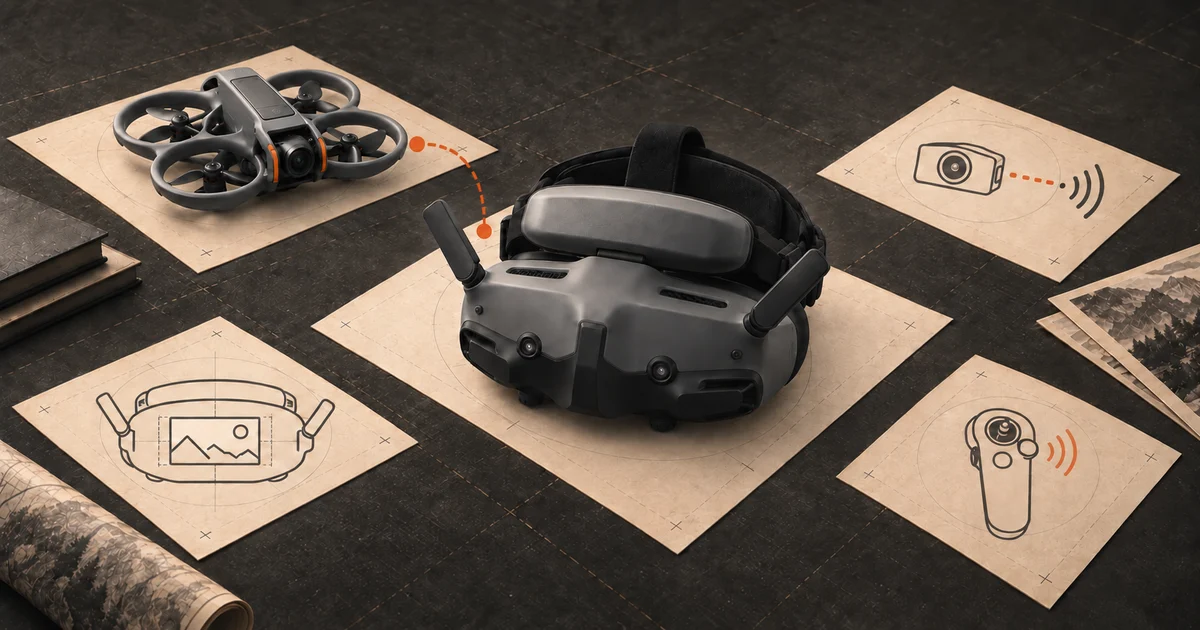
Match the goggles to the aircraft you will fly.
For DJI Avata 2, start with DJI Goggles N3 if you want the simpler entry and can wear glasses inside the headset; consider Goggles 3 if adjustable optics and Real View matter to you. Both also appear in DJI's O4 Air Unit support list, but controller pairing changes with the goggles. For a self-built HDZero quad, choose an HDZero headset and check its analog input options separately. Do not buy a headset on the promise that every digital FPV system will work with it.
The compatibility check that comes before a shortlist
Write down your aircraft or video transmitter first. An Avata 2, a custom quad with a DJI O4 Air Unit, and a custom HDZero build do not all use the same video link. A clear display and comfortable face padding are useless if the headset cannot receive the picture. Then check the controller as a separate part of the system: matching goggles do not guarantee that the remote in your existing kit will pair.
| Your aircraft or build | Start with | Check before buying |
|---|---|---|
| DJI Avata 2, lower-friction entry | DJI Goggles N3 | Supported controller, fit over your glasses, and no Real View |
| DJI Avata 2, more optical adjustment | DJI Goggles 3 | Eye fit, controller generation, and whether Real View helps your routine |
| Self-built HDZero quad | HDZero Goggles | Exact video transmitter; analog module or input if you also fly analog |
This is a system shortlist, not a measured ranking of image quality, latency, or comfort. The right headset follows the link in the aircraft and the way you actually fly.
For Avata 2: N3 or Goggles 3?
Goggles N3 are the straightforward starting point when your goal is to try the Avata 2’s immersive flight experience without paying for every optical extra. DJI says the N3 can be worn with personal glasses and does not have a diopter adjustment or Real View. Before buying, try to confirm that your glasses and the headset sit comfortably together. Specs cannot tell you whether pressure around the nose will become annoying after ten minutes.
Goggles 3 make more sense if adjustable optics and DJI’s Real View picture-in-picture are valuable to your launch routine. Real View is a convenience for seeing the surroundings without removing the headset; it does not replace watching the aircraft and keeping the flight safe. If a retailer offers a package with a motion controller, check that controller’s exact generation against DJI’s Avata 2 compatibility list.
Practical check: list the aircraft and controller you own on one line, then compare both against the official DJI matrix. Do this again after a major firmware change or when buying used goggles. “DJI compatible” is too broad a label for a purchase.
Building with DJI O4 is a related, separate decision
DJI lists Goggles N3 and Goggles 3 with FPV Remote Controller 3 for the O4 Air Unit series. It also lists Goggles 2 or Goggles Integra with FPV Remote Controller 2. A custom build may instead use a third-party radio with its own receiver. That is why copying an Avata 2 bundle list into a DIY parts order can leave you with the wrong controller even when the video link works.
If you are still choosing the quad, settle the video transmitter and radio path before choosing batteries or accessories. The camera drone in your bag does not make every DJI goggle interchangeable: DJI’s current compatibility matrix does not list Goggles N3 or Goggles 3 for the Mini 5 Pro or Air 3S.
If the build uses HDZero or analog
HDZero Goggles receive HDZero video directly. HDZero also documents analog input, but the setup depends on the goggles generation and may need a separate expansion module and receiver. The first HDZero Goggles and Goggle 2 differ here, so confirm the exact model and the parts included by the seller. An analog input is not a promise that DJI O4 or another digital system will bind to it.
For a mixed fleet, make a one-line list of every video transmitter you intend to fly. If the list crosses ecosystems, count the extra receiver, module, antennas, power setup, and firmware work before deciding a headset is “versatile.” Buying one compatible system you will use regularly can be better than assembling a collection of adapters for flights you may never make.
Before the first flight with goggles
Flying through a screen narrows your awareness of the ground around you. Arrange an open practice space, check the route and return behavior, and decide how you will meet the applicable US visual-line-of-sight requirement. Our US drone rules guide and safe practice area guide cover the decisions before launch.
The best FPV goggles are the ones that work with your actual aircraft, controller, eyes, and practice routine. Check those four things before comparing display marketing numbers.
Sources
Sources behind the shortlist
Compatibility comes from the current official product and support documents. A supported video link does not by itself confirm controller pairing, firmware, fit, or US stock.
- DJI Avata 2 FAQ, DJI. Manufacturer source. Checked . Official Avata 2 goggles and controller pairings.https://www.dji.com/avata-2/faq
- DJI aircraft and goggles compatibility list, DJI. Manufacturer source. Checked . US compatibility matrix for aircraft and goggles, including Avata 2, Neo, and O4 Air Unit.https://repair.dji.com/help/content?customId=01700010143&lang=en&paperDocType=ARTICLE&re=US&spaceId=17
- DJI Goggles N3 specifications, DJI. Manufacturer source. Checked . Used for screen, glasses accommodation, weight, and Real View limitation.https://www.dji.com/goggles-n3/specs
- DJI Goggles 3 product information, DJI. Manufacturer source. Checked . Used for adjustable optics and Real View feature.https://www.dji.com/goggles-3
- DJI O4 Air Unit support, DJI. Manufacturer source. Checked . Used for supported goggles and controller combinations for custom O4 builds.https://www.dji.com/support/product/o4-air-unit
- HDZero goggles setup, HDZero. Manufacturer source. Checked . Used for the optional analog expansion module and input requirements.https://docs.hd-zero.com/goggles-setup
- HDZero goggles operation, HDZero. Manufacturer source. Checked . Used for built-in HDZero reception and differences between the first and second goggles generations.https://docs.hd-zero.com/goggles-operation
- Recreational flyers and model aircraft, FAA. Government source. Checked . Used for the US recreational visual-line-of-sight requirement.https://www.faa.gov/uas/recreational_flyers
Editorial disclosure: This is a compatibility guide based on manufacturer documentation, not a hands-on comparison of display quality or fit. Firmware and supported aircraft can change. Verify the exact aircraft, air unit, goggles, controller, and firmware together before buying.