Direct answer
If the drone must be registered or is registered, resolve Remote ID before flight.
Use a Standard Remote ID drone, attach an FAA-accepted broadcast module and follow its conditions, or fly a drone without Remote ID equipment only inside an active FAA-Recognized Identification Area under the applicable rules. Match the exact model or module to an FAA-accepted Declaration of Compliance, enter the correct Remote ID serial number in DroneZone, and confirm the equipment is functioning before takeoff.
Determine whether Remote ID applies
The FAA states that drones which are required to be registered or are registered must comply with Remote ID. Start with the registration decision, the purpose of the flight, and the actual takeoff configuration.
A drone under 250 grams is not a universal Remote ID exemption. The recreational registration exception depends on weight and purely recreational use. If the aircraft is registered or operated under a path that requires registration, resolve Remote ID.
Understand what Remote ID broadcasts
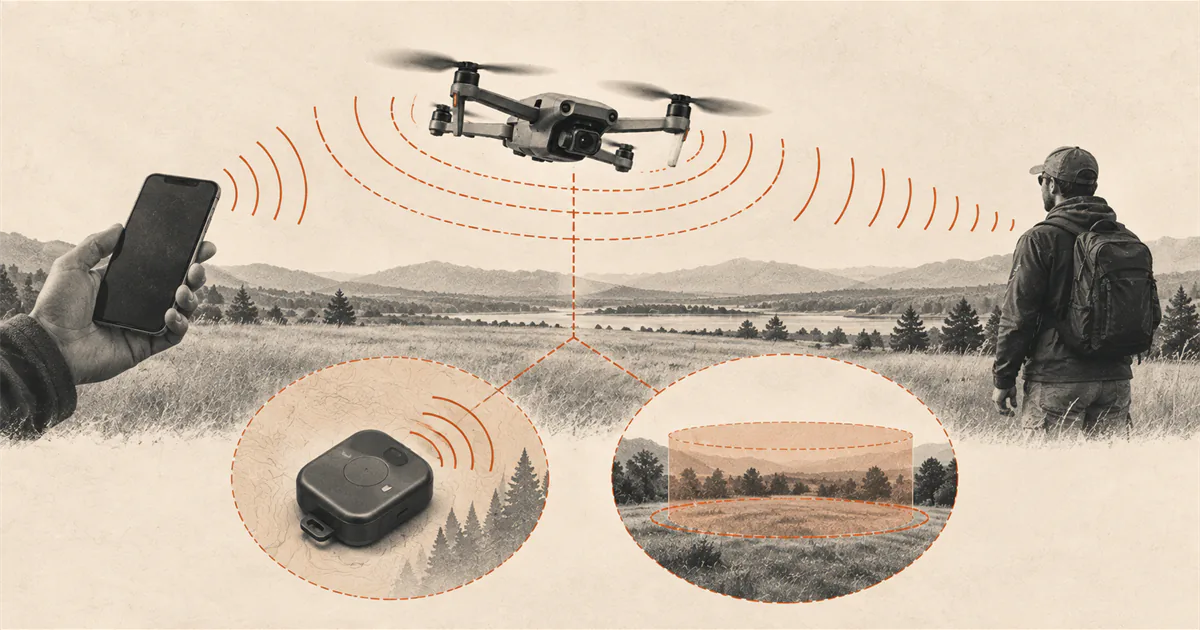
Remote ID allows a drone in flight to provide identification and location information by broadcast. Depending on the compliance method, that information can include the aircraft and control-station or takeoff-location data.
Remote ID is not an airspace map, flight authorization, pilot certificate, or property permission. A functioning broadcast does not make a prohibited location available or replace the rest of the US recreational rules.
Choose one valid compliance path
The FAA describes three common paths:
- Standard Remote ID drone. The aircraft has built-in FAA Remote ID broadcast capability and uses the applicable Remote ID serial number.
- Remote ID broadcast module. An accepted module is attached to a drone that lacks Standard Remote ID. The FAA requires the pilot using a module to keep the drone in visual line of sight at all times.
- FRIA operation. A drone without Remote ID equipment may operate only within an active FAA-Recognized Identification Area and within visual line of sight under the applicable conditions.
A manufacturer app switch, firmware note, or product-family claim does not by itself prove which path the exact aircraft uses.
Verify the exact model or module
Search the FAA Declaration of Compliance system for the exact make and model of the Standard Remote ID drone or broadcast module. Read the accepted declaration and match it to the device in front of you.
Check the manufacturer’s current instructions for where the Remote ID serial number appears. It may be on the aircraft, module, controller, or a controller menu. Do not assume that the product serial number, Wi-Fi identifier, registration number, and Remote ID serial number are interchangeable.
Only a manufacturer may submit a Declaration of Compliance. A flyer should not attempt to create one for an unlisted device.
Update the recreational inventory correctly
Recreational flyers may use one registration number across the devices in their recreational inventory, but each Standard Remote ID drone or broadcast module must be added with the required information. The FAA permits a recreational broadcast module to move among listed non-Standard-Remote-ID drones when the inventory records the applicable make, model, and module serial number.
Part 107 registration follows a different device-by-device path. Do not copy the recreational workflow into a Part 107 inventory.
Check the equipment before launch
Follow the exact manufacturer procedure for enabling and confirming Remote ID. Resolve firmware, app, module power, serial-number, or status warnings before takeoff. Do not assume a flight is compliant because it worked on an earlier day.
If using a broadcast module, secure and power it as documented and account for its effect on aircraft weight and endurance. If using a FRIA, confirm the area is still active and that the entire operation remains within its boundaries and visual-line-of-sight conditions.
Then run the broader drone preflight checklist and current location check.
Use this Remote ID check
- Identify the flight purpose and registration requirement.
- Choose Standard Remote ID, an accepted module, or an eligible FRIA operation.
- Verify the exact device in the FAA Declaration of Compliance system when equipment applies.
- Enter the correct Remote ID serial number in the correct DroneZone inventory.
- Confirm the equipment status and configuration before takeoff.
- Recheck airspace, restrictions, ground access, and visual line of sight.
If the exact device, serial number, or status cannot be confirmed, do not fly until the manufacturer or FAA support path resolves it.
Sources
Check the underlying guidance.
The FAA sources below define which registered drones must comply, the three common operating paths, inventory requirements, and the Declaration of Compliance check. Verify the exact aircraft and current flight location.
- Remote Identification of Drones, Federal Aviation Administration. Government source. Checked . Used for scope, Standard Remote ID, broadcast modules, FRIAs, serial-number inventory instructions, and the Declaration of Compliance check.https://www.faa.gov/uas/getting_started/remote_id
- How to Register Your Drone, Federal Aviation Administration. Government source. Checked . Used for the relationship between registration and Remote ID and the information needed in FAA DroneZone.https://www.faa.gov/uas/getting_started/register_drone
Editorial disclosure: This guide organizes current FAA Remote ID paths for US recreational flyers. It does not verify a specific aircraft, module, firmware state, serial number, registration record, FRIA, or authorization.