Direct answer
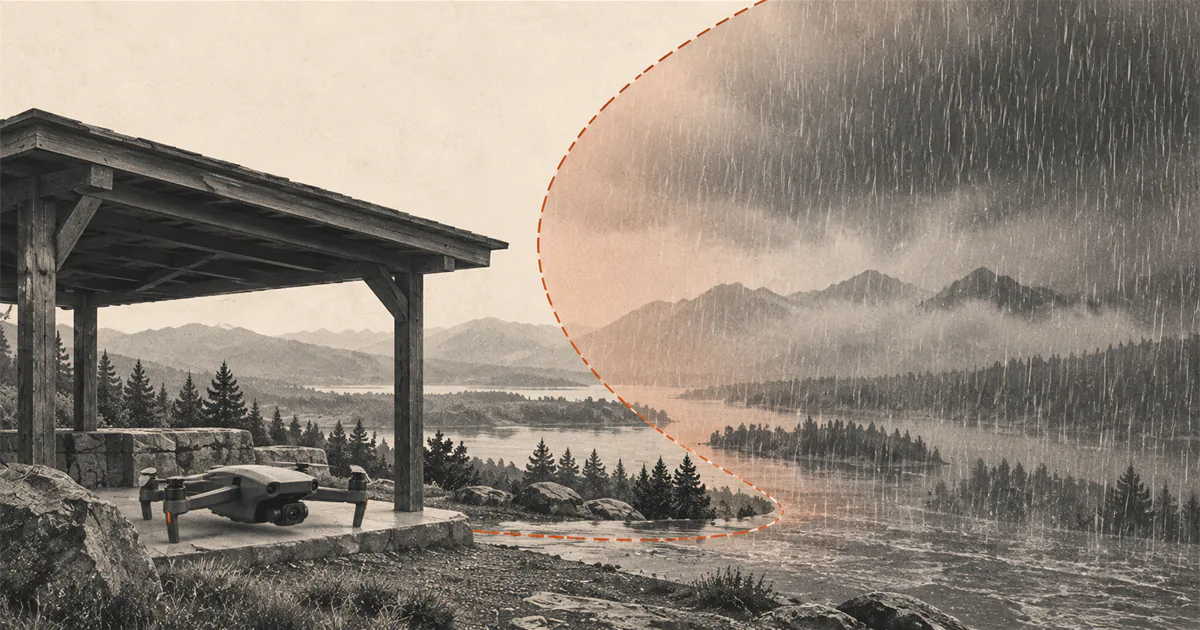
Do not fly in rain unless the exact aircraft documentation explicitly permits the current conditions.
Rain can reduce visual line of sight and can damage aircraft, batteries, controllers, or cameras that are not documented for that exposure. Check the exact model manual rather than a generic drone category or online demonstration. For DJI Mini 4 Pro, DJI says the aircraft is not waterproof and instructs pilots not to operate in rain. If rain begins unexpectedly, follow the model-specific return and landing procedure while a controlled landing is still available.
Start with the exact model, not the word drone
There is no category-wide answer that makes a consumer drone safe in rain. Aircraft can have different published environmental limits, enclosure designs, exposed openings, battery interfaces, controller restrictions, and warranty terms. A video showing another aircraft continuing to fly when wet does not establish a rating for yours.
Open the current aircraft manual, safety guide, battery instructions, controller manual, and any official support page for the exact model and configuration. Look for direct language about rain, water, snow, fog, moisture, condensation, and operating environment. If the documentation is silent, ambiguous, or unavailable, do not interpret that gap as permission.
DJI Mini 4 Pro provides a clear model-specific example. DJI says it is not waterproof, advises avoiding contact with water, and lists rain among conditions in which the aircraft should not be operated. That statement applies to that model; it is not a universal claim about every DJI aircraft or every drone.
Treat visibility as a separate stop rule
Even a documented weather-resistant aircraft would not make poor visibility acceptable. FAA guidance notes that fog or even light rain can affect the ability to maintain visual line of sight. The aircraft must remain clear enough for the pilot to know its location, attitude, altitude, and direction and to see other traffic or hazards.
Do not substitute the camera feed, map marker, telemetry, or a bright light for an adequate unaided view. Rain can obscure the aircraft, reduce contrast against the sky, cover a screen, and make it harder to judge orientation. If the whole planned route cannot remain clearly visible, the flight decision is no-go regardless of a product’s moisture claim.
Check more than the rain icon
Use the drone weather checklist for the exact location and flight window. Review the latest official forecast, hourly precipitation timing, visibility, wind, gusts, thunderstorm risk, and active hazards. A low percentage shown by one app is not proof that the route will remain dry.
Rain often arrives with changing wind, lower cloud, reduced visibility, or lightning risk. A sheltered launch point can remain dry while the route is already exposed. Check the direction of approaching weather and preserve enough time to land before the first drops rather than treating the forecast start time as exact.
If thunder is heard, follow National Weather Service shelter guidance and stop the outdoor activity. Retrieving a drone is not a reason to remain in an exposed area.
Do not create a test flight
Do not spray the aircraft, hover in drizzle, fly through mist, or use a previous wet flight as a test of protection. A motor continuing to turn does not prove that water has not reached the battery connection, electronics, camera, controller, or internal surfaces.
Product terms such as water-resistant, weather-resistant, splash-resistant, and waterproof are not interchangeable. Read the exact scope, test method, configuration, maintenance requirements, and exclusions when a manufacturer publishes one. Accessories, damage, open covers, replaced parts, or a different battery can change the relevant boundary.
If rain starts while the aircraft is airborne
Use the pre-checked procedure for the exact model. Reduce the task to a prompt, controlled return and landing while the aircraft remains visible and responsive. Do not continue the mission for one more shot and do not climb or detour unless the documented recovery procedure and nearby hazards require it.
For DJI Mini 4 Pro specifically, DJI says to return and land as soon as possible if it rains during flight. That does not mean Return to Home is always the correct action for every location. The Return to Home guide explains why the recorded Home Point, route, altitude, sensing, link state, wind, and nearby landing options must be reviewed before takeoff.
If the control or video link also degrades, follow the model-specific lost-link behavior already checked before launch. Avoid rapid, improvised commands based on a different aircraft.
Handle a wet aircraft conservatively
After landing, move out of the weather without touching hot, damaged, swollen, leaking, or abnormal components. Power down and remove the battery only if the manufacturer’s instructions and the condition of the equipment make that safe. Do not connect wet equipment to a charger or power source.
Follow the exact manufacturer’s inspection, drying, service, and reuse instructions. DJI tells Mini 4 Pro users to wait until the aircraft is fully dry inside and out before using it again. A dry exterior does not prove the interior is dry, and a household heat source, compressed air, rice, disassembly, or an invented waiting period is not a substitute for official guidance.
If water entry, corrosion, battery damage, warning messages, abnormal heat, odor, sound, or behavior is suspected, stop use and contact the manufacturer or an authorized service provider. Record what happened and which components were exposed before the details are forgotten.
Make the rain decision before unpacking
Use this short stop-or-go sequence:
- Identify the exact aircraft, battery, controller, and installed accessories.
- Read the current official rain, water, fog, and operating-environment language.
- Check the latest official forecast and active hazards for the whole session.
- Confirm visual line of sight can be maintained along the complete route.
- Review wind, gusts, lightning risk, and a nearby safe landing option.
- Confirm the model-specific action if rain begins or the link changes.
- Keep the equipment packed when permission or conditions are uncertain.
A postponed flight is cheaper and simpler than trying to prove that undocumented exposure was harmless.
Sources
Check the underlying guidance.
FAA material supports the visibility and preflight-weather boundaries. DJI documentation is used only to show how one exact consumer model treats rain and water exposure; the current manual for the aircraft in front of you remains controlling.
- FAA Safety Briefing - March/April 2024, Federal Aviation Administration. Government source. Checked . Used for the effects of precipitation and fog on visibility, visual line of sight, and the need to check the current local forecast.https://www.faa.gov/sites/faa.gov/files/Safety_Briefing_MarApr2024.pdf
- UAS Best Practices for Operations, Federal Aviation Administration. Government source. Checked . Used for the pilot responsibility to know aircraft limitations and local weather before flight.https://www.faa.gov/air_traffic/publications/atpubs/aim_html/chap11_section_8.html
- Support for DJI Mini 4 Pro, DJI. Manufacturer source. Checked . Used only for the exact-model statement that DJI Mini 4 Pro is not waterproof and DJI's response if rain begins during flight.https://www.dji.com/support/product/mini-4-pro
- DJI Mini 4 Pro User Manual, DJI. Manufacturer source. Checked . Used for the exact-model prohibition on operation in rain, snow, and fog and the dry-environment requirement.https://dl.djicdn.com/downloads/DJI_Mini_4_Pro/20240627/DJI_Mini_4_Pro_User_Manual_en.pdf
Editorial disclosure: This guide combines current FAA weather guidance with a model-specific DJI example. DroneReviewed is not claiming waterproof testing, rain-flight experience, or a universal moisture rating for consumer drones.