Direct answer
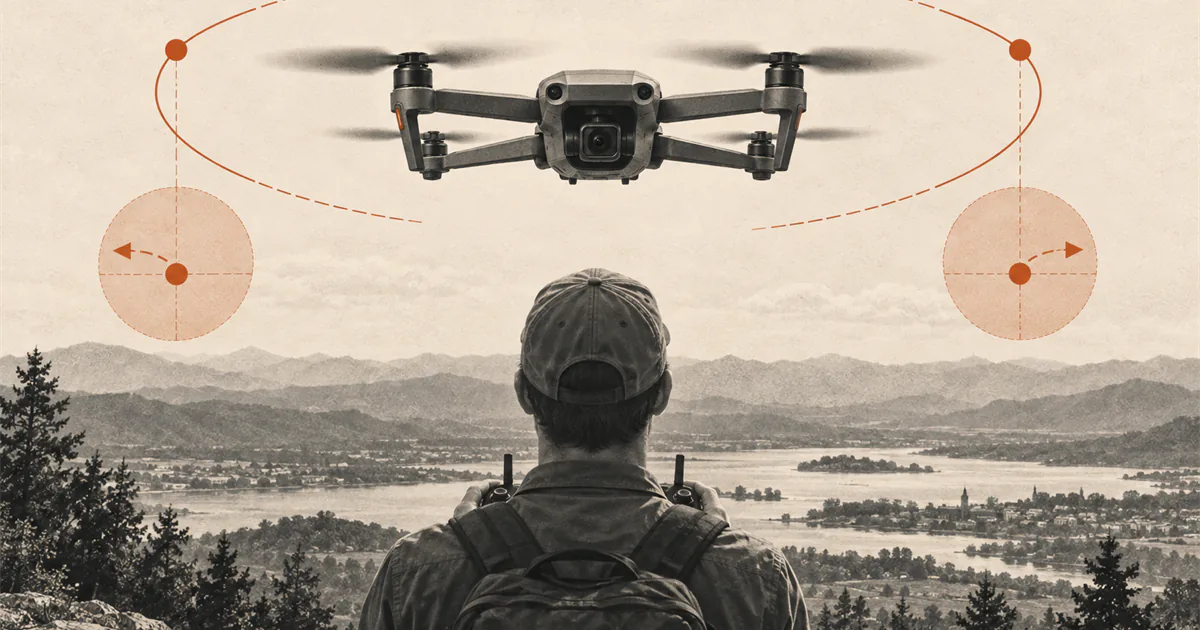
When the nose faces you, keep flying from the aircraft's perspective.
Learn nose-in orientation only after you can hover and land with the nose away. Progress through both side-in orientations before turning the nose fully toward you. Keep the aircraft close, clearly visible, and in a stable hover; make one small correction at a time. If visual reversal causes uncertainty, stop adding movement, return to a familiar orientation if that can be done safely, or land using the model-specific procedure.
Understand what actually reverses
The controller does not reverse itself when the drone turns toward you. The aircraft still responds relative to its own nose and sides. What changes is the pilot’s view.
With the nose facing away, the aircraft’s left usually appears on your left. With the nose facing you, the aircraft’s left appears on your right. A forward pitch command moves the aircraft in the direction of its nose, which is now toward you. The same input has the same aircraft-relative meaning even though the picture looks reversed.
Virginia Tech’s expert-reviewed training material makes this distinction directly: the pilot must consider the aircraft’s perspective, not the operator’s. This page turns that concept into a limited hover drill rather than a route or emergency technique.
Pass a readiness check first
Do not make nose-in orientation the first hover. Begin only when you can:
- take off and land using the exact model procedure;
- hold a predictable tail-in hover with small corrections;
- identify the nose and heading without relying only on the display;
- stop a short forward, backward, left, or right movement;
- land promptly when position or orientation becomes unclear.
Use a large open practice area with a visible marker and no pressure to complete the exercise. Keep distance, altitude, wind, and route complexity lower than in a familiar tail-in session. There is no universal height or radius for this drill.
Progress through side-in orientations
Take off nose-away and establish a stable hover. Use a small yaw input to turn the aircraft only partway so one side faces you. Pause and make one small lateral correction, then return to the familiar tail-in orientation.
Repeat from the other side. This exposes the changing visual relationship without moving directly from familiar controls to full nose-in reversal. Keep pitch, roll, and yaw tasks separate. Do not rotate while translating across the practice area.
If one side feels less predictable, continue with that side-in hover on another short repetition. Progress is the ability to identify the correct axis before moving the stick, not the ability to stay airborne for a long time.
Practice one nose-in hover
From a stable tail-in hover, yaw slowly until the nose faces you. Stop the rotation and pause. Do not immediately add forward movement or a route.
Use the ground marker to judge drift. When a correction is necessary:
- identify which way the aircraft moved from its own perspective;
- choose the matching pitch or roll input before touching the stick;
- make one small correction;
- return the stick toward center and wait for the result;
- yaw back to a familiar orientation or land if the next input is uncertain.
Keep the exercise brief. A clean pause, one correction, a return to tail-in, and a controlled landing is a complete nose-in session.
Use a simple recovery hierarchy
If orientation becomes uncertain, stop adding simultaneous inputs. On a model with reliable position hold in the current conditions, centering the sticks may reduce task load while you identify the nose. That behavior is model-specific and should never be assumed for manual or acro flight.
If position and separation remain controlled, a small deliberate yaw back toward a familiar side-in or tail-in orientation may be easier than continuing nose-in. If the aircraft is moving unpredictably, a warning appears, or you cannot identify a safe correction, use the model-specific landing or recovery procedure you reviewed before flight.
Do not activate return-to-home solely because the visual controls feel reversed unless that action is the appropriate documented response for the exact aircraft and location. RTH behavior, altitude, obstacle sensing, home-point accuracy, and cancellation are separate model-specific decisions.
Avoid common orientation mistakes
- Do not memorize “move the stick toward the drift” as a universal trick. It can break down when heading is not exactly nose-in.
- Do not combine nose-in hover with greater distance, speed, altitude, or camera work.
- Do not stare at the screen to solve a visual-line-of-sight orientation problem.
- Do not keep alternating corrections without pausing to see the result.
- Do not turn on a headless or training mode without understanding how the exact aircraft defines it.
- Do not continue after uncertainty becomes the main task.
Stop while the drill is still controlled
Return to tail-in and land when:
- you cannot identify the nose or the correct control axis before moving the stick;
- corrections grow larger, faster, or begin alternating;
- the aircraft leaves the small practice reference area;
- wind, positioning, battery, link, or sensor behavior changes;
- a person, animal, vehicle, or other hazard enters the area;
- you feel pressure to finish a longer hover.
After landing, name the one orientation that caused confusion and repeat only that transition later. The goal is predictable perspective, not endurance.
Sources
Check the underlying guidance.
The training source explicitly distinguishes pilot and aircraft perspective and includes operator-facing exercises. The manufacturer manual remains controlling for the exact control mode, positioning behavior, and safe landing response.
- sUAS Manual Flight Exercises, Virginia Cooperative Extension, Virginia Tech. Independent source. Checked . Used for its expert-reviewed explanation that control response follows aircraft perspective and for operator-facing orientation exercises.https://www.pubs.ext.vt.edu/content/dam/pubs_ext_vt_edu/CNRE/cnre-149/CNRE-149.pdf
- DJI Mini 4 Pro User Manual, DJI. Manufacturer source. Checked . Used only as an exact-model example of controller modes, flight controls, positioning, and landing behavior.https://dl.djicdn.com/downloads/DJI_Mini_4_Pro/20240115/DJI_Mini_4_Pro_User_Manual_EN.pdf
Editorial disclosure: This guide adapts an expert-reviewed orientation exercise and a manufacturer control reference. DroneReviewed is not claiming original instruction, and the drill is limited to stabilized visual-line-of-sight practice.